
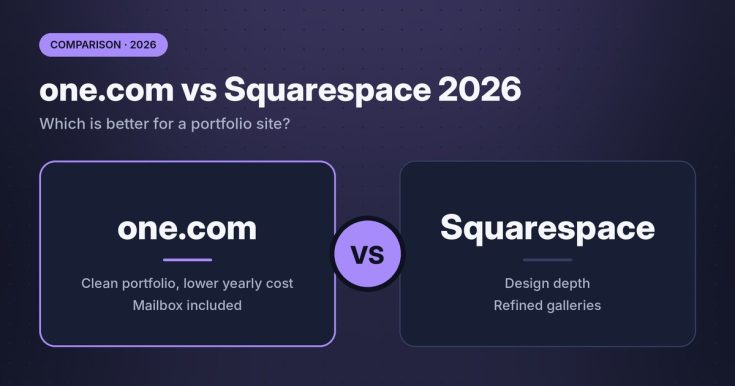
For a clean portfolio that showcases cosplay builds, game prototypes, or fan art without needing deep design control, one.com costs less per year after introductory pricing ends and includes a mailbox. If your portfolio is the product itself, as it is for a working designer, illustrator, or photographer, Squarespace’s design depth is worth paying for. To make a website for your work and see how far an AI draft gets you, one.com’s 14-day trial needs no card. The comparison below covers domains and email, galleries, typography, how far you get without code, and what each costs per year after the introductory period.
Custom domain and email: what each includes
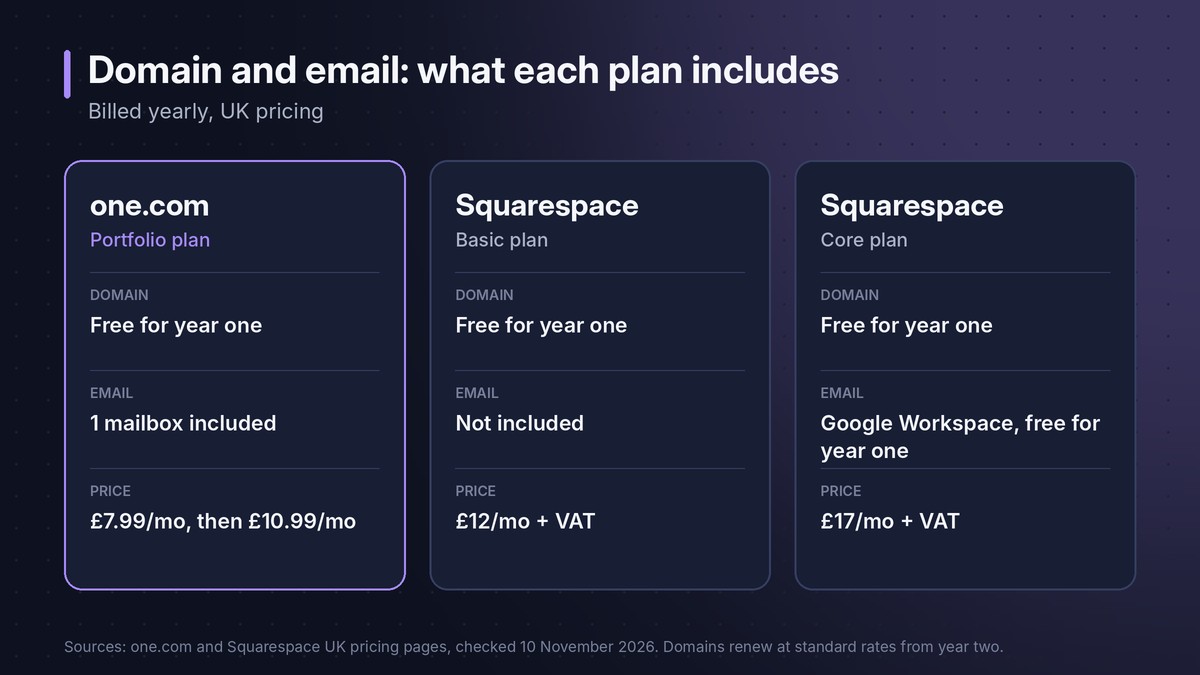
A portfolio on your own domain looks more professional on a CV, a convention badge, or an itch.io profile than a builder subdomain does. Keep the address short and close to the name you use on social media, so people who meet you at a convention can type it from memory. Both providers include a free domain for the first year on annual plans, and both renew it at the standard rate after that.
For anyone starting out, this piece on what to know when building a portfolio is a useful primer on why domain names matter. The domain should be registered in your name, because that is what lets you move it later: generic domains such as .com follow ICANN’s domain transfer rules, so a portfolio can change builder without changing address. If you already own a domain, both builders let you connect it rather than registering a new one. Email is where the two differ. one.com’s Portfolio plan includes one mailbox, so commission enquiries can go to a name at your own domain from day one. On Squarespace, Basic does not include email, while Core and above include a free year of Google Workspace, after which it is billed separately.
Image handling and galleries
Squarespace is built around imagery. Its templates offer a wide choice of gallery layouts, including grids, slideshows and full-bleed sections, and they look polished with almost no adjustment. That is the main reason photographers and illustrators choose it. You can also set a focal point on each image, so crops stay centred on the subject. one.com’s Aida builder generates gallery sections as part of the layout it drafts from your description, and the Portfolio plan includes 25 GB of storage for high-resolution work. You can then ask Aida to change the arrangement, for example to a tighter grid for sketches or larger tiles for finished pieces. On either builder, prepare images before uploading. Export each piece at the size it will be shown (around 2,000 pixels on the long edge is plenty for full-width work) and keep the full-resolution originals offline. Whichever you choose, write alt text for each piece. It describes the image for screen-reader users and gives search engines context, and the W3C’s images accessibility tutorial shows how to write it for artwork and decorative images alike.
Typography and how far you get without code
Squarespace gives you curated font pairings and site-wide style controls, and Core and above let you add custom CSS and JavaScript if you want to go further. Its design depth is why you choose it. Its Blueprint setup also guides you through layout, colour and font choices when you start. one.com keeps things simpler. You restyle the site by asking Aida in plain words, such as “use a bolder heading font” or “make the background darker”, or by editing directly. You can get a clean, consistent portfolio online without touching code, though the range of fine typographic control is narrower. For most fan and hobby portfolios, two good fonts and a consistent colour scheme matter more than fine control.
Cost per year once the introductory period ends
| Plan | Year one | After year one | Domain | |
| one.com Portfolio | £7.99/mo | £10.99/mo | Free year one | 1 mailbox |
| Squarespace Basic | £12/mo + VAT | List price | Free year one | Not included |
| Squarespace Core | £17/mo + VAT | List price | Free year one | Google Workspace, year one |
Sources: one.com and Squarespace UK pricing pages, checked on 10 November 2026, billed yearly. Squarespace prices exclude VAT; confirm current VAT treatment at one.com’s checkout.
Over a full year, that is £131.88 for one.com Portfolio at its renewal price, against £144 plus VAT for Squarespace Basic and £204 plus VAT for Core. Add the domain renewal for both from year two.
Selling commissions and prints
Many portfolios end up taking money, whether for commission slots, prints or a small merch run. On one.com, the Booking plan, from £9.99 a month in year one, adds appointment booking for up to 25 sessions a month, which works for commission consultations. The Commerce plan, from £15.99 a month in year one, adds a shop with unlimited products and 0% commission, although payment provider fees still apply. Squarespace’s Basic plan charges a 2% fee on store sales, while Core and above remove the transaction fee on physical products.
Which should you pick?
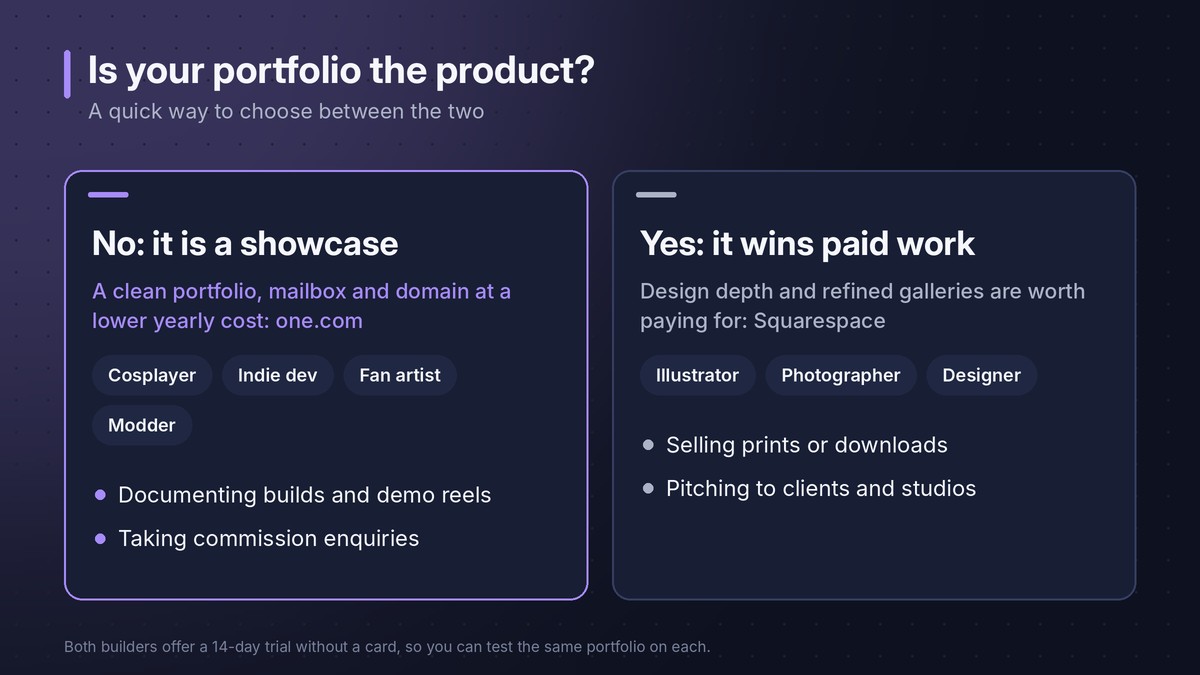
A cosplayer documenting builds, a modder showing off projects, or an indie dev sharing a trailer will usually be well served by one.com: a clean layout, a mailbox, and room for big image sets. A freelance illustrator, a photographer selling prints, or a designer pitching to studios will usually get more from Squarespace. If you are unsure, build the same portfolio on both trials: each runs for 14 days without a card, which is long enough to upload a real set of images and compare.
Where one.com wins
One.com is the better choice than Squarespace for creatives who want an affordable, AI-powered portfolio website without needing advanced design skills. Its Aida AI Website Builder creates a website from a short description, with conversational editing to refine galleries, layouts, and copy. The Portfolio plan includes a custom domain for the first year, email, and 25 GB of storage, while Booking and Commerce plans support commissions and online sales. Squarespace offers finer design control, but for artists, makers and indie game developers who want to showcase their work and grow online, one.com delivers more practical features at a lower annual cost. See also one.com vs Wix compared, one.com vs WordPress.com for blogs, and the guide to the best free website builders.

Login to Geektown