
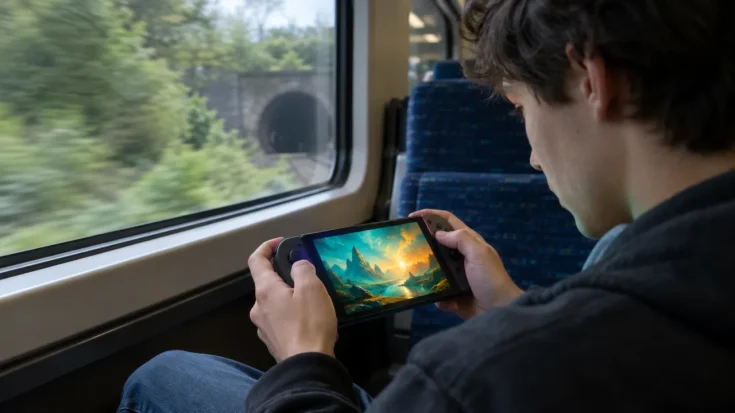
Pick up a Switch 2 on a train or a phone in a queue, and there is a decent chance the game in front of you is not running where you are. It is running in a data centre or a studio, and the picture is being sent to your screen in real time. That only feels normal because a lot of streaming work happens out of sight. A tunnel, a crowded café network, a patchy bit of signal: the stream has to shrug off all of it.
Why Does a Live Stream Drop Quality Instead of Freezing?
Because of adaptive bitrate streaming. The video is encoded at several quality levels and cut into short chunks, and your device asks for whichever level it can actually download in time. When the signal dips, the picture gets softer for a few seconds instead of stopping dead.
Live casino sections, such as the one at luck leopard, show why that matters. A table that stalls mid-round is no use to anyone watching it, so this is a corner of gaming where a slightly soft picture beats a frozen one every time. The dealer carries on, and your phone simply catches up at whatever quality the connection allows.
Chunk length is the other half of the trick. Longer chunks give a player more room to recover from a bad patch, but they push the picture further behind real time. Live services lean towards much shorter chunks than the on-demand video you binge at home, accepting a bit more fragility in exchange for staying close to the action.
Handhelds add their own wrinkles. Radios are small and players move about, so the connection can change quality several times in a single session. The stream has to treat that as normal rather than as a fault.
How Low Can Latency Go on a Phone or Handheld?
Low enough that you stop noticing it, provided the service was built for it. Latency is the gap between something happening at the source and you seeing it on your screen. For a boss fight streamed from the cloud, that gap is input lag. For a live dealer table, it decides whether you are reacting to the round on screen or one that has already finished.
Older streaming protocols were never designed for that. They favour smooth playback over speed and can sit well behind real time. Live gaming has pushed providers towards low-latency variants and WebRTC-style delivery, which give up a little robustness in return for a feed that stays close to live. Live casino tables care about this more than most, because betting windows close on a clock.
Handheld cloud gaming is the same problem with a controller attached. Your button press has to reach a server, the game has to react and the frame has to come back, all before you feel any delay. A strong Wi-Fi signal helps, but out and about you are leaning on whatever the mobile network gives you.
What Happens When 5G and Wi-Fi Swap Over Mid-Session?
Usually very little, when the app is built well. As your device hops between Wi-Fi and mobile data, the connection has to be re-established, and the player leans on video it has already buffered to cover the gap. A small buffer, a quick reconnect and a quality ladder that restarts low and climbs back up are what make the switch feel invisible.
Newer protocols help here too. Those built on QUIC can keep a session alive when a device’s network address changes, which can cut down the stop-start that follows a handover.
Well-built live game apps handle the swap in much the same way. They keep a short buffer, retry in the background and rebuild picture quality gradually rather than slamming straight back to full HD. That is why a live table on your phone usually survives you walking from the sofa to the street.
How Do Handheld Players Keep a Stream Steady?
Mostly by controlling what they can and accepting what they cannot. A handheld cannot fix a weak mast, but you can avoid making things worse. A few habits go a long way:
- Stay put for live tables. Moving between cells and networks mid-round is the quickest route to a stutter, so settle somewhere with a steady signal before you sit down.
- Close background downloads. Game updates and cloud syncs fight the stream for the same pipe.
- Pick the lower quality setting when it is on offer. A steady 720p beats a 1080p picture that keeps stalling.
- Check the signal, not just the bars. A full-looking icon in a crowded station can still deliver a poor connection.
It also helps to know what the network can realistically deliver. Telco Magazine reports median download speeds of around 54Mbps on both Virgin Media O2 and Vodafone in the first half of 2026, which is plenty for a mobile video feed. The same piece notes the UK ranked only 35th for median all-cell download in Q1 2026, so a good stream still depends on where you happen to be standing.
What Comes Next for Live Games on the Go?
Expect lower latency and smarter adaptation. Standalone 5G is spreading, handhelds keep getting better radios, and apps are getting better at reading network conditions before deciding how much to ask of a stream. ISPreview reported in February that average UK latency on 5G standalone networks came in at 36ms, against 46ms on older non-standalone 5G, in a global network study. Ten milliseconds sounds trivial, but it adds up across every round trip of a cloud-streamed shooter or a live dealer table.
For live casino lobbies the target is a table that feels as immediate on a handheld on the bus as it does at home. For everyone else, it means cloud games that feel less like a stream and more like a game.

Login to Geektown