
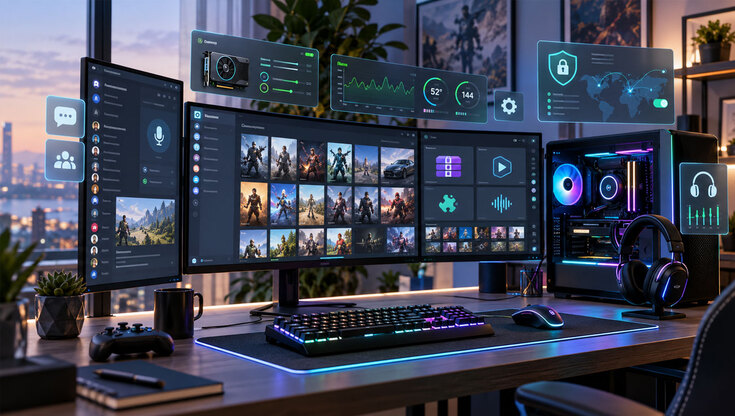
Setting up a new gaming rig from scratch means installing only the absolute essentials while leaving bloatware and “optimizers” in the trash where they belong. Here’s a no-fluff list of the apps you actually need, in order of importance.
Graphics Drivers
As games get ever more demanding, GPU manufacturers have to keep up by releasing driver updates. Having the latest version of the NVIDIA app or AMD’s Adrenalin ensures that every game will run as well as your graphics card permits.
They’re also useful for dialing in your monitor’s color settings and setting custom FPS limits that individual games might not support.
Game Launchers
The undisputed heart of any gaming PC, game launchers make buying, installing, and managing games as easy on PC as it is on console. Steam is the top dog since it has the greatest selection and regularly offers huge discounts. Epic Games gives out lots of freebies, while GOG (formerly Good Old Games) lets you play both classics and new releases DRM-free.
Launchers also act as community hubs and places where you can connect, chat, and even trade with others. Start with Steam to get your bearings, especially if this is your first PC. Later, you can look into the other two, plus Blizzard’s or Ubisoft’s launchers if you’re a fan of their games.
Hardware and Performance Monitoring
You just spent an arm and a leg on a gaming rig, so of course you’ll want to know how games run on it. Two apps will get you there.
HWiNFO is an in-depth system monitoring utility that’s great for keeping an eye on stability and general performance during those first few days. The displayed info can be overwhelming at first, but you get used to it.
MSI Afterburner, complete with RivaTuner, is your go-to for in-depth GPU customization and monitoring. You can set up custom fan curves and monitor in-game FPS. Don’t let the name fool you – Afterburner works with all GPUs regardless of the manufacturer.
Discord
While TeamSpeak and Vent technically still exist, Discord is the only gaming communication app you really need. It’s designed for seamless voice chats and screen sharing to make your multiplayer gaming sessions more enjoyable.
Discord is also excellent for finding and becoming active in various communities. There are thousands of servers dedicated to everything from LoL or Project Zomboid to completely unrelated topics like true crime or literature. An invite link is all it takes to join most communities.
Security Tools
Keeping your system safe from viruses and other threats should be a day-one priority. While Windows Defender is a solid built-in malware detector for Windows users, you’ll want a more comprehensive toolset.
Password managers let you create and assign long, complex passwords for game launchers and all other important accounts. This is important for protecting account security and making sure that one hacked account doesn’t impact others. You’ll want to turn on 2FA so that stealing your login info isn’t enough to take over your accounts.
VPNs are also useful, especially if you bought a gaming laptop and plan to use it on the go. If you’re wondering whether VPNs are safe — the answer is yes. They encrypt each connection, which protects your privacy and security when connecting through less safe networks like public Wi-Fi. Since you can use a VPN to alter the IP address you’re connecting from, they are useful for accessing region-locked content.
Miscellaneous Apps
We’ve covered all the essential gaming apps, so here’s a quick-fire list of other useful ones that make everyday PC use more convenient.
- 7-Zip or WinRAR – Sooner or later, you’ll encounter archives ending with .ZIP or .RAR that need to be extracted, or you’ll want a way to pack multiple files into one for easier sharing. Either of these will handle this for you.
- VLC –A free video player that supports a wide range of codecs and can play practically everything.
- Vortex – Grew out of the Nexus Mod Manager and is now the go-to for handling mods for many games.
- EarTrumpet – A sound configuration utility that quickly lets you adjust sound levels for different apps. Great for lowering the volume of a game while listening to Spotify without having to change in-game settings.
Shortlist of Apps You Need
- Graphics drivers (NVIDIA app or AMD Adrenalin) keep your GPU running at its best and let you tweak color settings and FPS limits.
- Discord is the go-to app for voice chat, screen sharing, and joining gaming communities.
- Security tools are a day-one priority — before you log into anything, read a NordPass review and get a password manager set up, then add a VPN and 2FA to keep your accounts safe on public Wi-Fi.
- HWiNFO and MSI Afterburner handle hardware monitoring, letting you track performance, temps, and in-game FPS.
- Game launchers like Steam, Epic Games, and GOG are the heart of any gaming PC, making it easy to buy, install, and manage your library.
- Miscellaneous picks like 7-Zip, VLC, Vortex, and EarTrumpet round out your setup for everyday convenience.

Login to Geektown