
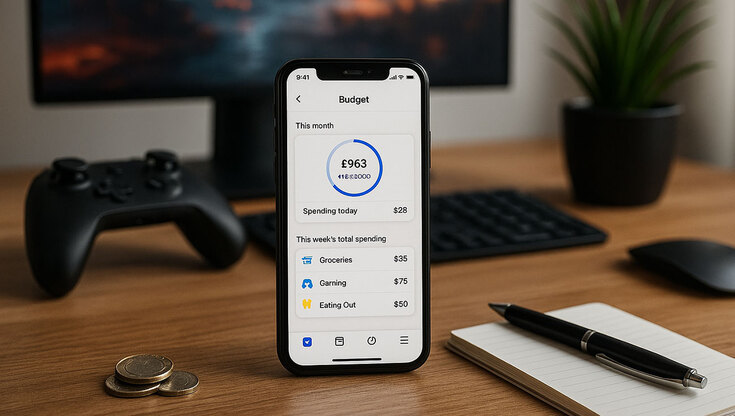
Gaming isn’t just a hobby anymore, it’s a lifestyle. And sometimes, a surprisingly expensive one. Between monthly subscriptions, early access bundles, in-game purchases, Steam sales, and that limited edition controller you swore you didn’t need, costs can spiral quicker than a speedrunner glitching through Hyrule.
That’s where Emma comes in. It’s a smart budgeting app that acts like a co-op partner for your personal finances. Whether you’re a casual console gamer, a full-time streamer, or someone who’s lost track of how many digital downloads you’ve impulse-bought, Emma helps you get a clear view of your spending and gives you tools to stay in control.
Why Gamers Need a Budget (Yes, Really)
Let’s face it, we’ve all said “It’s just £3.99” right before buying yet another skin, loot box, or indie game. But over time, those small charges add up. With more platforms offering subscription models, plus countless optional in-game purchases, the monthly total can be a shocker.
Here are just a few of the most common spending traps gamers fall into:
- Monthly services like Xbox Game Pass, PlayStation Plus, Nintendo Switch Online, EA Play, or Ubisoft+
- Add-on purchases, cosmetic upgrades, and battle passes in titles like Call of Duty, Fortnite, Valorant, and Apex Legends
- Pre-orders and deluxe editions that bundle in extra content you might not even use
- Subscriptions to streaming platforms for gaming content and anime, like Crunchyroll, Netflix, or Twitch Turbo
- Impulse buys during Steam, PlayStation Store, or Epic Games sales
Keeping track of it all manually can feel like managing your inventory in a JRPG. But with Emma’s features, it becomes much easier.
Tools That Actually Help (Not Just Graphs)
Emma offers a suite of tools to give you back control of your digital wallet. Key features include:
- Subscription tracker: Emma automatically detects recurring payments. So when that Humble Choice subscription you forgot about rolls over, you’ll actually know about it.
- Expense tracker: Emma breaks your spending down by merchant and category. Want to know how much you’ve dropped on Steam this year? Or how often you’ve ordered takeaway after a late-night raid? Now you can.
- Daily spending allowance: Think of it as your financial HUD. Emma calculates a safe daily spending amount so you can make guilt-free decisions, or at least know when you’re about to overspend.
- Budget rollovers: Didn’t spend your entire gaming budget this month? Emma lets you carry it forward, giving you more flexibility for next month’s big release.
And there’s more. If you’re renting, Emma also offers a clever way to improve your credit score by reporting your rent payments. It turns one of your biggest monthly expenses into a long-term financial bonus.
Play Smarter, Spend Smarter
Emma doesn’t try to stop you from enjoying your favourite games or buying that shiny new controller. Instead, it helps you budget for them more effectively. Whether you’re saving for a new gaming laptop, trying to cut back on random microtransactions, or just curious about where your money goes, Emma gives you the visibility and control you need.
In a world full of temptation, like Steam sales, console upgrades, and overpriced digital outfits, a little financial awareness can go a long way. Emma makes that process simple, visual, and maybe even a little bit fun.
Unlocking achievements is great. But staying out of your overdraft? That’s the real win.
If you’d like to explore Emma’s full feature set or try it out for yourself, head to emma-app.com for more details.

Login to Geektown