
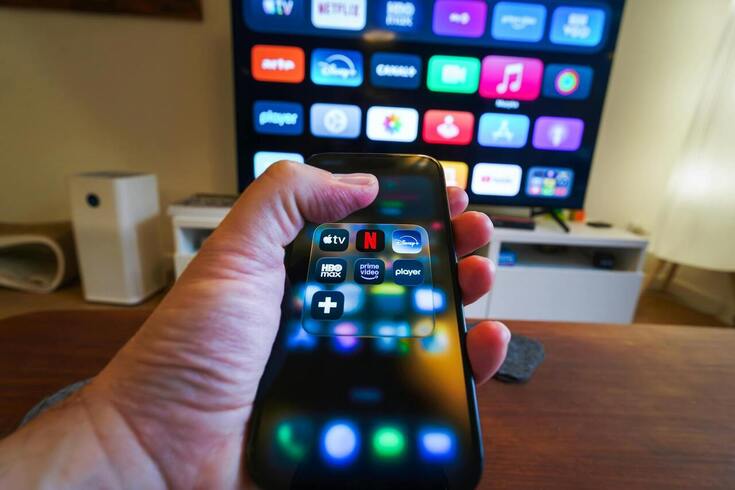
It’s common to use streaming apps on your phone, be it for on-the-go convenience or to shelter your children from seeing inappropriate scenes on TV. With the launch of the iPhone 17 and the improvements that come with it, in Wi-Fi connectivity especially, wireless mirroring becomes all the more smooth for when you do want to use the TV. This way, the phone remains the hub.
Connecting Apple devices with AirPlay
AirPlay 2 is by far the best way for Apple users to share media. In the example of the latest iPhone 17, better processing power allows for 4K HDR streaming, as long as the smart TV is compatible, and it’s all without the lag or battery drain seen in previous generations.
You simply:
- Make sure the iPhone and TV are both connected to the same Wi-Fi
- Open the Control Center
- Click Screen Mirroring
- Choose your television
There are some other interesting developments here too, such as the foldable iPhone, which has been teased for a September release. We will almost certainly see a new take on casting content, perhaps with a dedicated theatre mode, as this leans into the folded screen benefits. For example, it could act as a remote while the main video feed stays on the TV. Smartphones have long been able to be used as a controller, but casting has always been the bottleneck.
If you aren’t ready to jump on the newest flagship, many users look at reconditioned hardware to manage their smart homes. If you stick with an older model, you may be best using an HDMI adapter to create a wired connection to the TV. It’s a bit of faff, but there will be no lag.
Android casting
Android users have a few more options, particularly as the TV-end of the software (and hardware) changes too, be it Google Cast or Miracast, among others. The Google Home app allows you to mirror your screen or cast specific apps like YouTube and Netflix with a single tap. But remember, if the video isn’t accessible on the receiving end, then you will be mirroring your display, which has more lag.
Tech-savvy shoppers are looking for refurbished iPhones as cheap secondary devices that are specifically for media control. Back Market is the largest online marketplace dedicated to refurbished electronics – it’s an option to save money with a reconditioned device yet retain flawless performance and a warranty.
The beauty here is in the typing and UI – it’s much easier to search and find your intended YouTube video on the phone first, then press cast, rather than use the remote and TV app UI.
We don’t need a dedicated device for a controller, but they’re cheap and help remind us to use it. A dedicated hub via a reconditioned device helps save your primary phone’s battery life, it also keeps notifications private (which can appear when doing a strict screen mirror).
Casting a new life on your device
There are options for both Android and iPhone. While improvements to the flagship releases are often criticised for diminishing improvements, it’s actually the simple activities like screen mirroring that have the most to improve on – and we saw some improvements with the iPhone 17 and its connectivity. As long as your device is sharing the same Wi-Fi, you can enjoy a one-tap experience to your media viewing, toggling between TV and phone as appropriate.

Login to Geektown